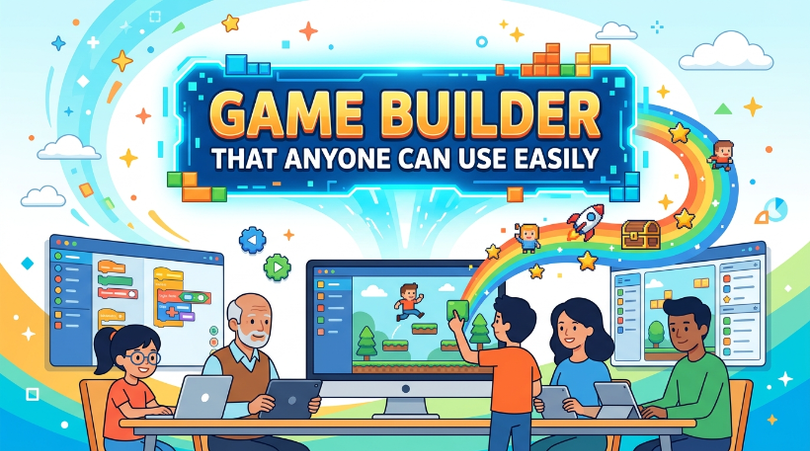

Have you ever wanted to make your own game but thought it was too hard? Some of us can have breathtaking ideas but still don’t have a clue where to start. A game builder allows you to create games ranging from simple to complex with easy-to-use tools, so you don’t have to be an experienced coder. Platforms such as Astrocade are also making game creation more approachable by helping aspiring creators turn their ideas into playable experiences.
In this article, you will learn how to select a game builder that fits your ideas, develop fun game concepts, design intriguing levels, test key features, and distribute your game to others. Whether you’re new to game making or a seasoned veteran, these straightforward steps will help you build games with greater confidence.
Choose Game Builder
The first thing is to find a game builder that fits what you want. Most modern game engines have drag and drop editors, pre-made templates, and visual scripting tools to assist in game development. They offer a simple entry point for beginners, and give creative freedom for more advanced users.
Before you purchase a platform, always compare its features.Search cloud storage, mobile, tutorials, publishing. A great game builder lets you get your time back and focus on the fun of making your game rather than the frustration of fighting technology.
Create Game Ideas
A creative idea is the starting point for every hit title. Think about your story, the characters, the gameplay, the rewards and the objectives in play before you begin making your game. A linear concept with fun gameplay can sometimes beat an elaborate design.
Download your ideas onto a notepad or a word processor on your computer. When you have a plan for your game ready before you begin working on it, it will keep you focused and make completing your game that much easier.Good planning also means fewer mistakes later on.
Build Game Levels
Fun levels captivate players right from the beginning to the end. Design different rooms, puzzles, prizes and barriers that fit your game’s theme. Each level should be fresh and they should be well balanced.
A Game Builder allows you to build levels using simple drag-and-drop tools. You can customize backgrounds, characters, animations, and gameplay components without having to code. So go ahead and improve the player experience, because now you can spend more time doing that.
Test Game Features
Testing is termed as vital in game development. Play each stage slowly and observe the controls, graphics, sounds, animations, and overall gameplay. Fixing bugs before release results in a better play experience.
And friends and family to test your game. Their input often reveals issues you didn’t even realize you had. Keep tweaking until Have fun.
Share Your Game
When your game is done, it’s time to put it out into the world. Most game engines let you export your games to web browsers, smartphones, and other platforms. When you release your project, you get real world experience and meaningful feedback from your players.
Advertise your game on social media, gaming, or related forums and online communities. Heed players’ advice and keep putting out updates with fixes and (presumably) new content. Regular updates keep your game fun and profitable.
Conclusion
A game engine makes game design accessible and open to everyone. With visual editing tools, templates, and other beginner-friendly features, you can bring creative ideas to life as games without spending months learning complex programming languages. If you really want to get better at making games, the best way to do that is to keep creating and experimenting. Whether you’re inspired by a game like Speed Per Step or developing an entirely original concept, every project gives you an opportunity to learn.
Start small, playtest your game often, and learn from your players. Finish every game you make—not only will you build your confidence, but you’ll also gain the knowledge and experience needed to take on even bigger projects in the future.
Frequently Asked Questions
What is a Game Builder?
What is a Game Builder? A Game Builder is a software or platform that enables you to build games with visual editors, templates and drag and drop functions instead of coding.
Can beginners use a Game Builder?
Yes. Most game creators are built for new-comers and include tutorials and templates along with simple editing tools that make game creation easy.
Do I need coding skills to build a game?
No Many game engines allow you to make complete games without writing code, though knowledge of programming can be useful for more advanced customization.
Can I publish games created with a Game Builder?
Yes. The majority of game engine allow you to publish your game to the web, mobile devices and other popular platforms.
How can I improve my game development skills?
Develop small games, learn from quality games, playtest your projects frequently, and use player feedback to assist every game you make improve.